Story Architect Desktop 0.8.3
Hi, everyone!
Following the mobile version update, we’re happy to share an update for the desktop version as well - Story Architect 0.8.3 is out today.
A lot of work has gone into this release. As usual, we weren’t able to include everything we wanted, but we’d still like to mark the end of our full recovery after everything that happened - and celebrate it with a new version!
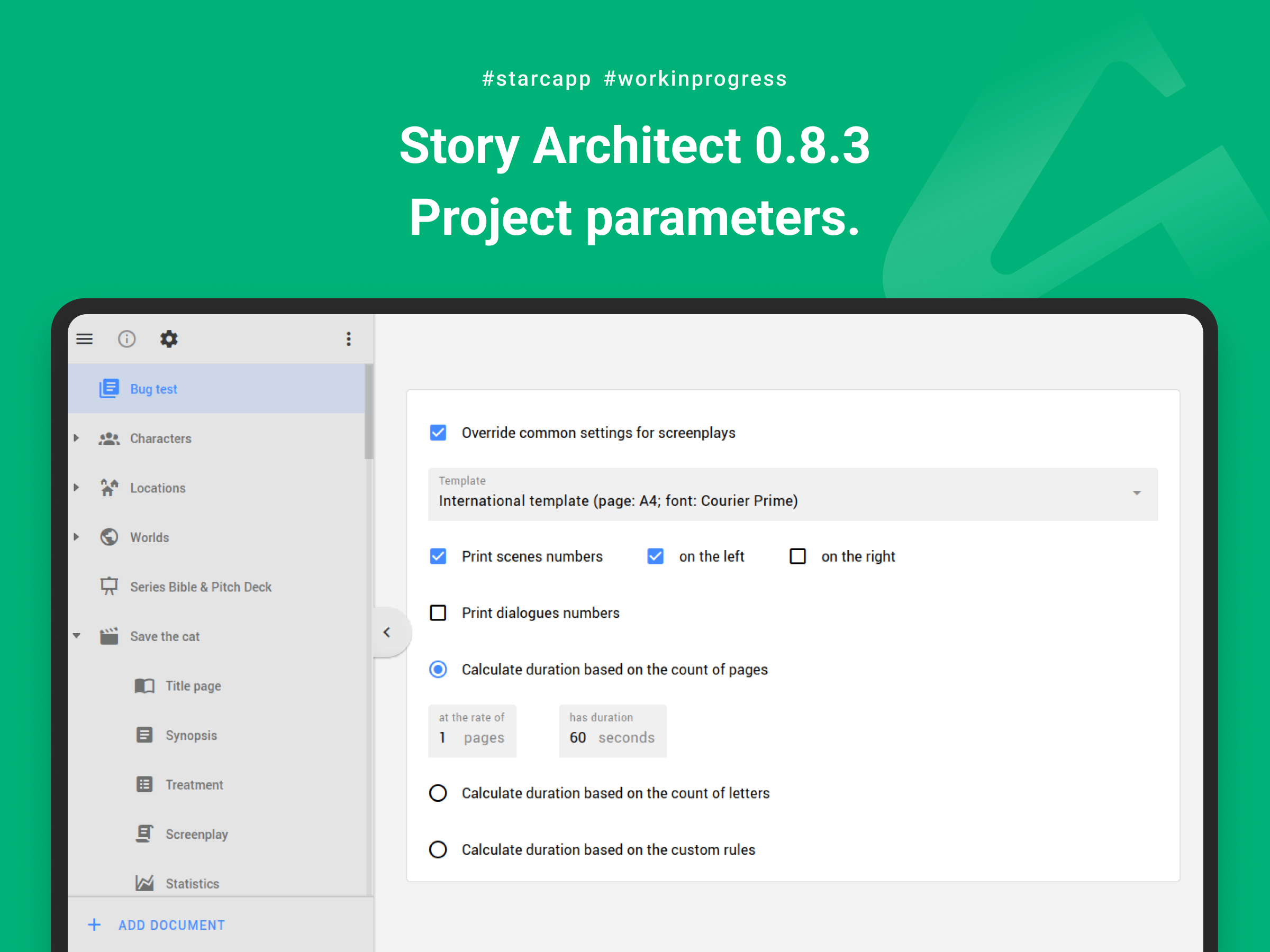
Project Settings
In the new version, we’ve removed the ability to override settings for an individual screenplay. Instead, you can now override settings for the entire project.
You can now specify which template should be used across the entire project, how scene numbers should be displayed, and how timing should be calculated.
All of these settings will also be automatically synced for all collaborators — including a custom template, if you use one — when they are configured for a cloud project.
Spell Checking
In this release, we’ve done a major overhaul of the spell-checking subsystem.
We started by significantly improving its performance with large documents. Spell checking now works consistently fast regardless of how much text there is in the document you’re editing.
We also added validation for downloaded spelling dictionaries. After we lost our old servers, the app was still trying to download dictionary data from the old URLs. This resulted in errors and, in some cases, files containing invalid data being saved locally. That, in turn, could cause the app to crash when opening any project.
Now, both when the app starts and when dictionaries are downloaded, they are validated first. The spell checker only starts using them after they successfully pass validation.
There’s still one major feature we want to add in this area: the ability to use spell checking for multiple languages at the same time. We’re planning to introduce it in a future update.
Eighths Instead of Timing
In the new version, instead of using timing to calculate the duration of scenes and the entire screenplay, you can use a new mode:
Application Settings → Components → Screenplay → Duration → Use pages as duration (eighths of a page)
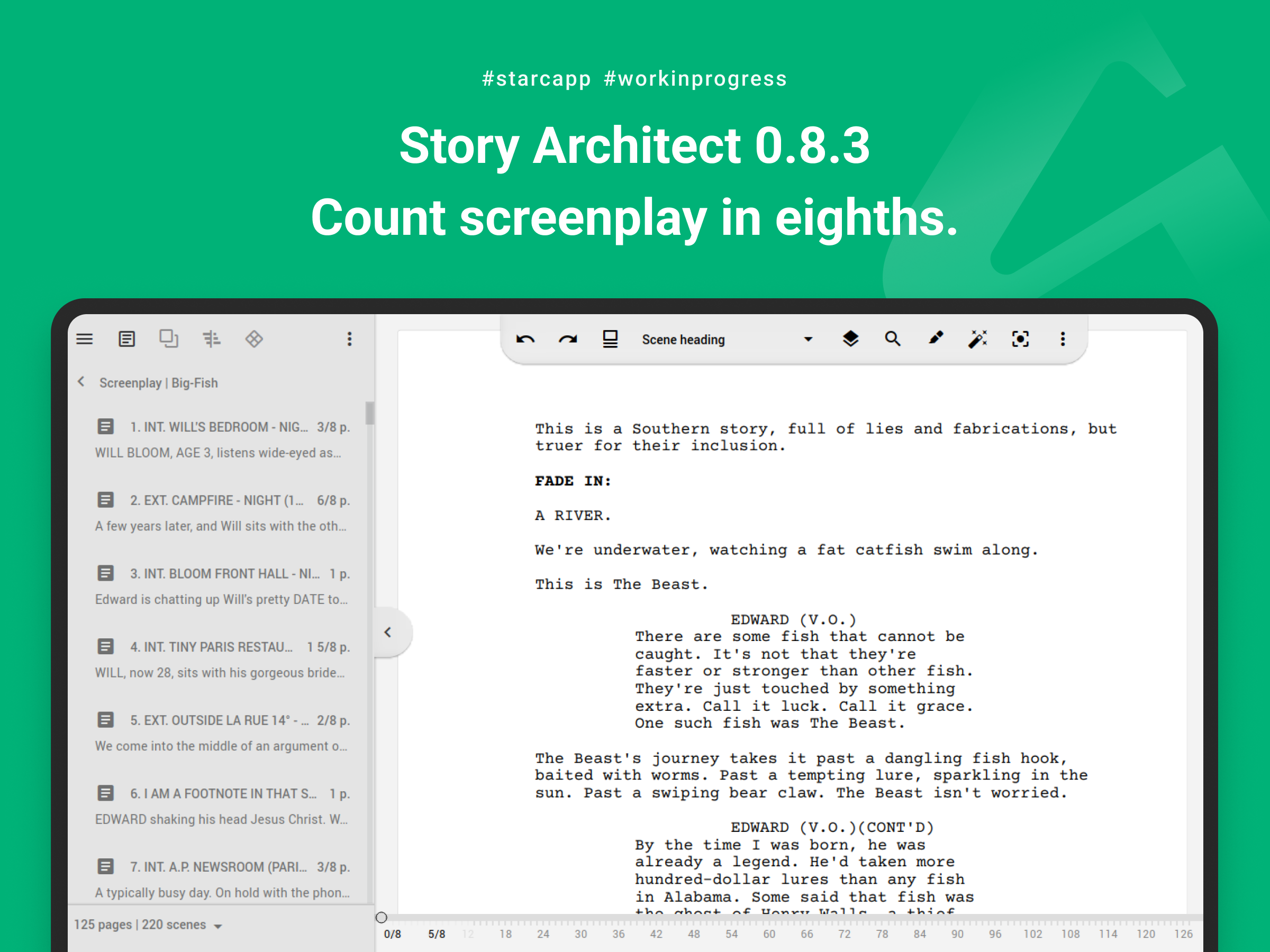
This setting affects the timeline in the screenplay module, as well as the scene duration displayed in the screenplay navigator.
For now, this feature is being introduced in experimental mode. We plan to polish it further and integrate it into the rest of the modules in a future release.
Mind Map Improvements
The mind map module has received several long-awaited improvements:
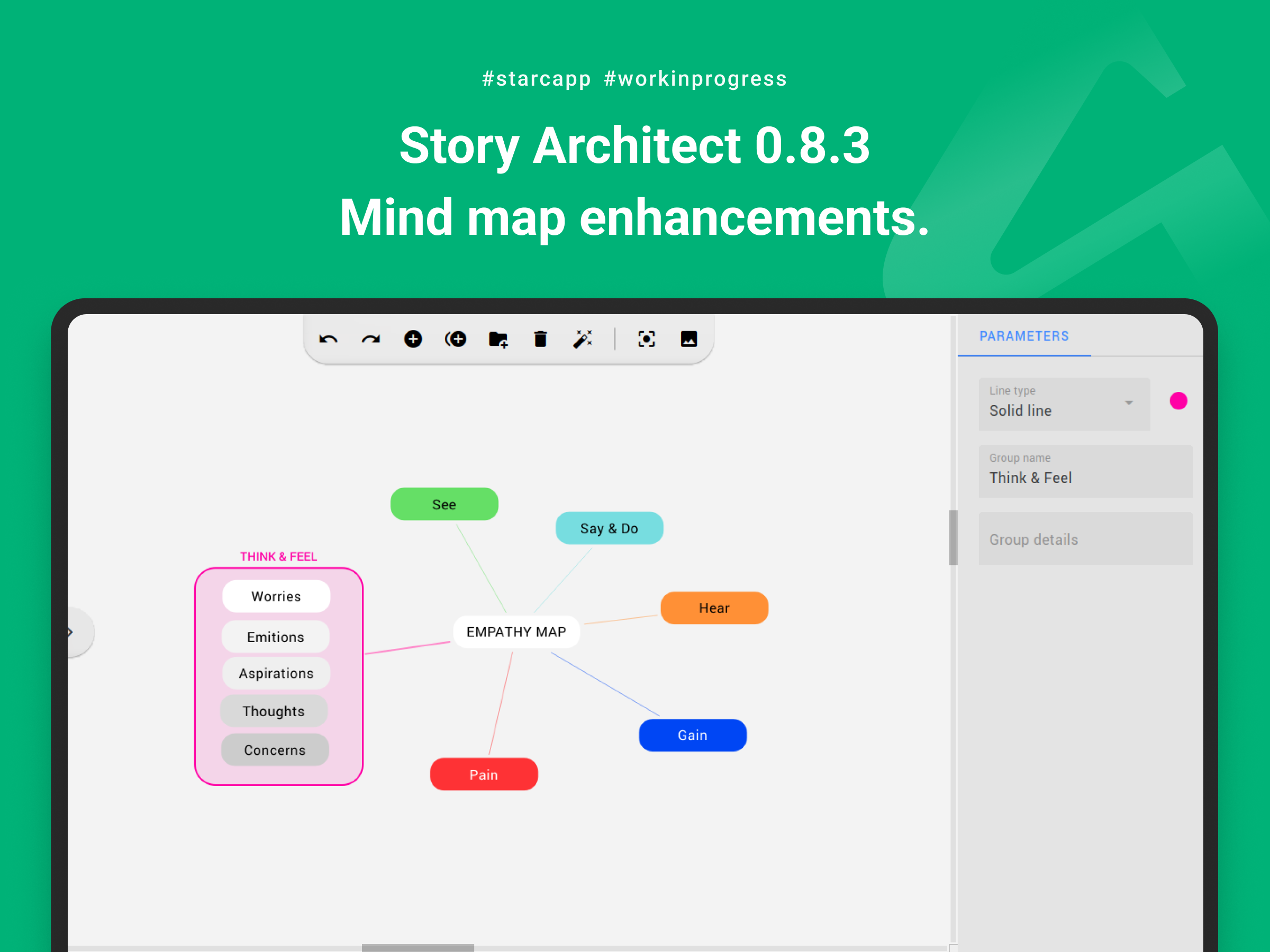
- you can now select multiple elements on the map and move them together;
- you can now create connections between cards and groups, as well as between groups themselves;
- fixed a crash that could occur when deleting elements from the map in certain cases.
Error Tracking
In this update, we’ve added advanced tools for tracking errors and identifying their underlying causes.
Because of this, we plan to focus the next couple of updates primarily on stabilization and fixing as many issues as possible.
Other Improvements
- restored the AI Assistant;
- added the app version number to the list of sessions in the user account;
- added automatic character positioning on the relationship map; characters can now be arranged in circles depending on their roles and relationships;
- added support for importing RTF documents;
- added the ability to completely reset all application settings; previously, resetting settings preserved project and account information, but now you can reset that data as well if necessary;
- added the ability to filter the list of collaborators when granting access to a specific document within a project;
- added the ability to rearrange images in image gallery documents;
- improved parsing of scene headings into their individual components; scene headings can now use formats such as INT. LOCATION - DAY as well as INT. LOCATION. DAY 1;
- improved scene heading detection during import;
- improved PDF processing when adding presentations to a project;
- improved project backup rotation;
- improved saving of application settings while working with preferences;
- improved DOCX document import, particularly the handling of text styles;
- improved import from KIT Scenarist; in addition to the screenplay and draft, all available screenplay versions are now imported as well;
- improved saving of project changes when access to the project file is temporarily lost for any reason;
- timing calculations based on custom rules now ignore empty text paragraphs;
- fixed an app crash in the poster generator that could occur while loading new background images;
- fixed an issue with switching between draft tabs when right-clicking them to open the context menu;
- fixed a crash that occurred when right-clicking the area to the right of the draft list;
- fixed a crash when opening the draft context menu in the episode outline and treatment modules;
- fixed a crash that could occur when moving cards in certain cases;
- fixed an issue with exporting automatic (PROD) markers for dialogue lines to PDF;
- fixed an issue with exporting screenplays to FDX and Fountain formats;
- fixed an issue with duration calculations in screenplay reports when automatic screenplay pagination was disabled;
- fixed an issue with displaying unnamed templates in the plain text component;
- plus various other minor improvements.
Next up, we’ll have several stabilization releases. We also want to bring some features across different modules - for example, making relationship and location maps work more like mind maps.
We’ll also finally tackle a few smaller but useful improvements, such as jumping directly from statistical reports to the relevant text, as well as multilingual spell-checking.
So, see you again soon, friends!
In the meantime, grab the latest version and enjoy creating!
Join our community of authors
Download Story Architect and try all features for free. Give us your feedback — let's make the best software for writers together!