How to name a character using the name generator
How do you choose the right name for a character in a story? Hardly anyone can answer this question. Some writers take names of acquaintances as a prototype, others search for meanings and secret subtext, and some just use the first one they find. We suggest a different approach: generate a character name in Story Architect.
If you don't already have the Story Architect app or downloaded it a second ago, read the instructions on how to install it, as well as how to log in to your personal account.
To begin with, create/open a project and click the "+ Add Document" button in the lower left corner. This opens a window with the main sections of the project, where you can add extra materials.
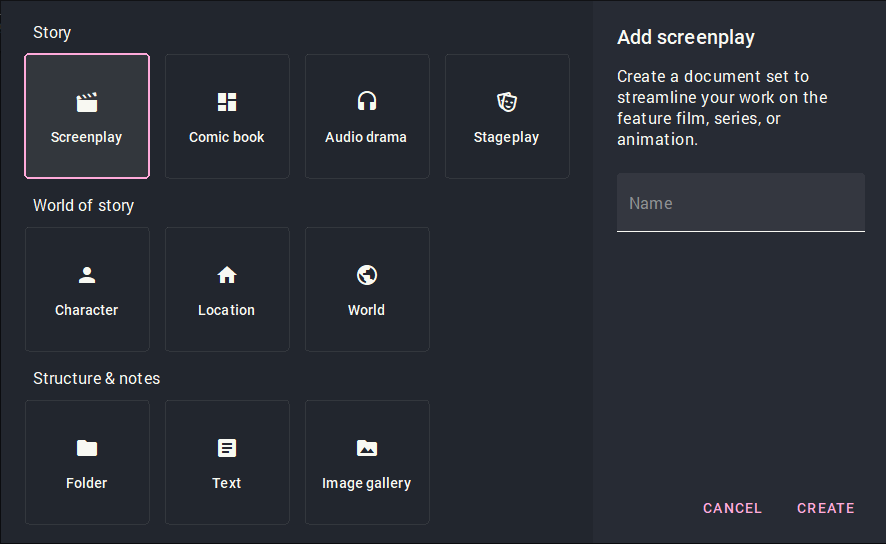
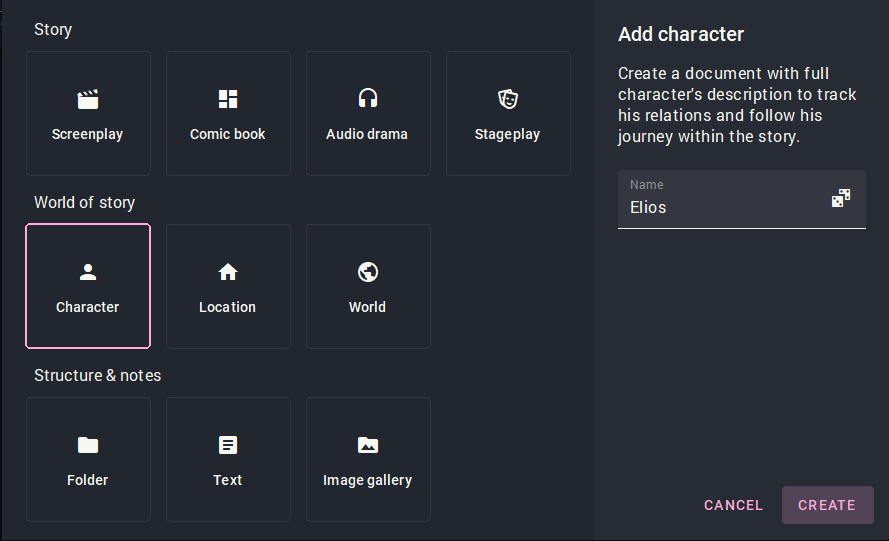
In the "World of Story" line, select "Character". A blank line appears on the right and a dice icon. This is our generator. Click on the dice and achieve the desired result.
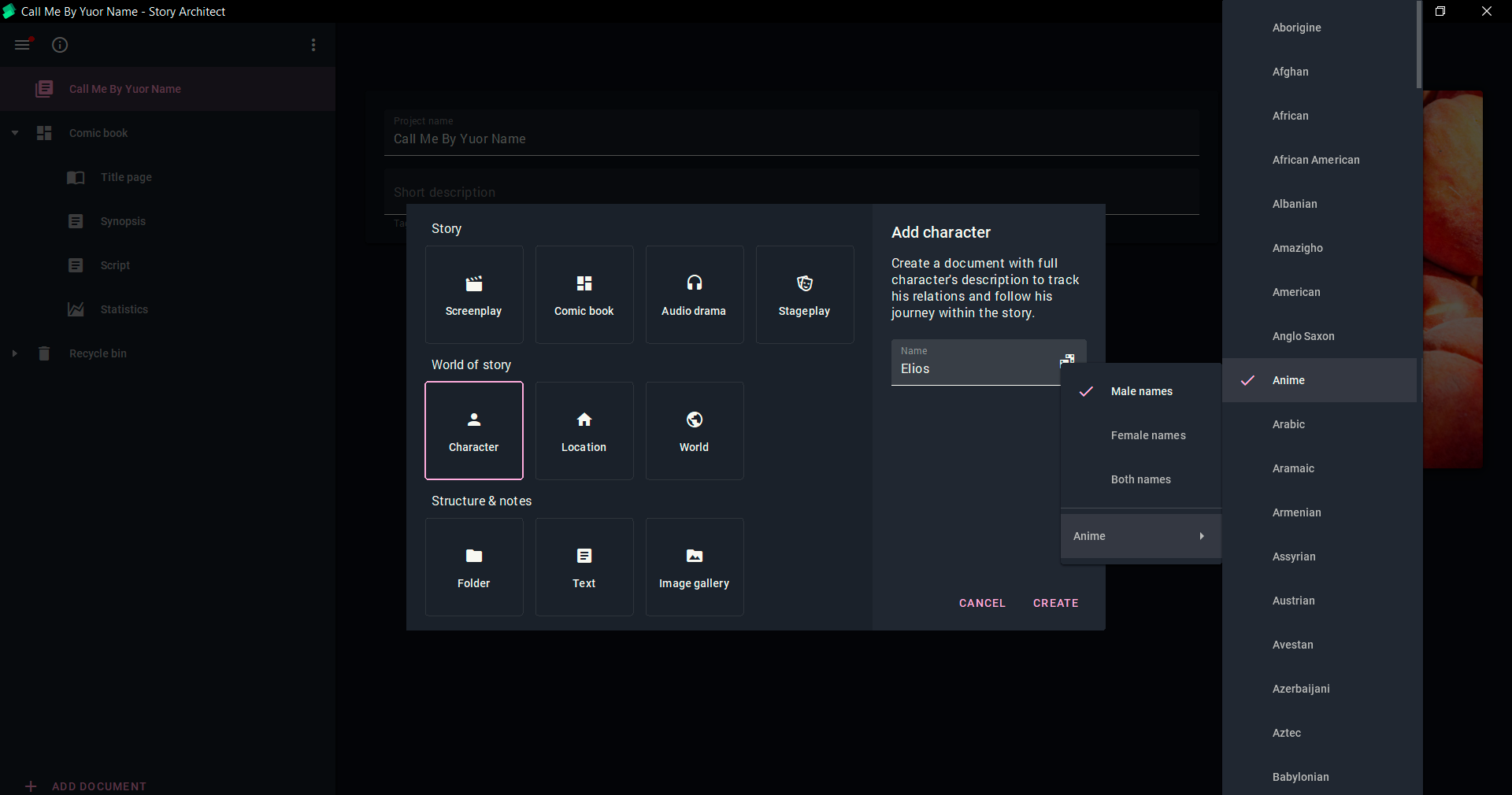
If you right-click on the dice, the generator prompts you to choose a character's gender and a type of name (depending on the country, era, and genre of the story).
Are you satisfied with the result? Click "Create" and you're taken to the character’s profile. Here you can fill in all the fields and form a detailed profile of the character, or go to any other tab and continue your work there. You can always go back to the development of the character - now it is saved in your project.
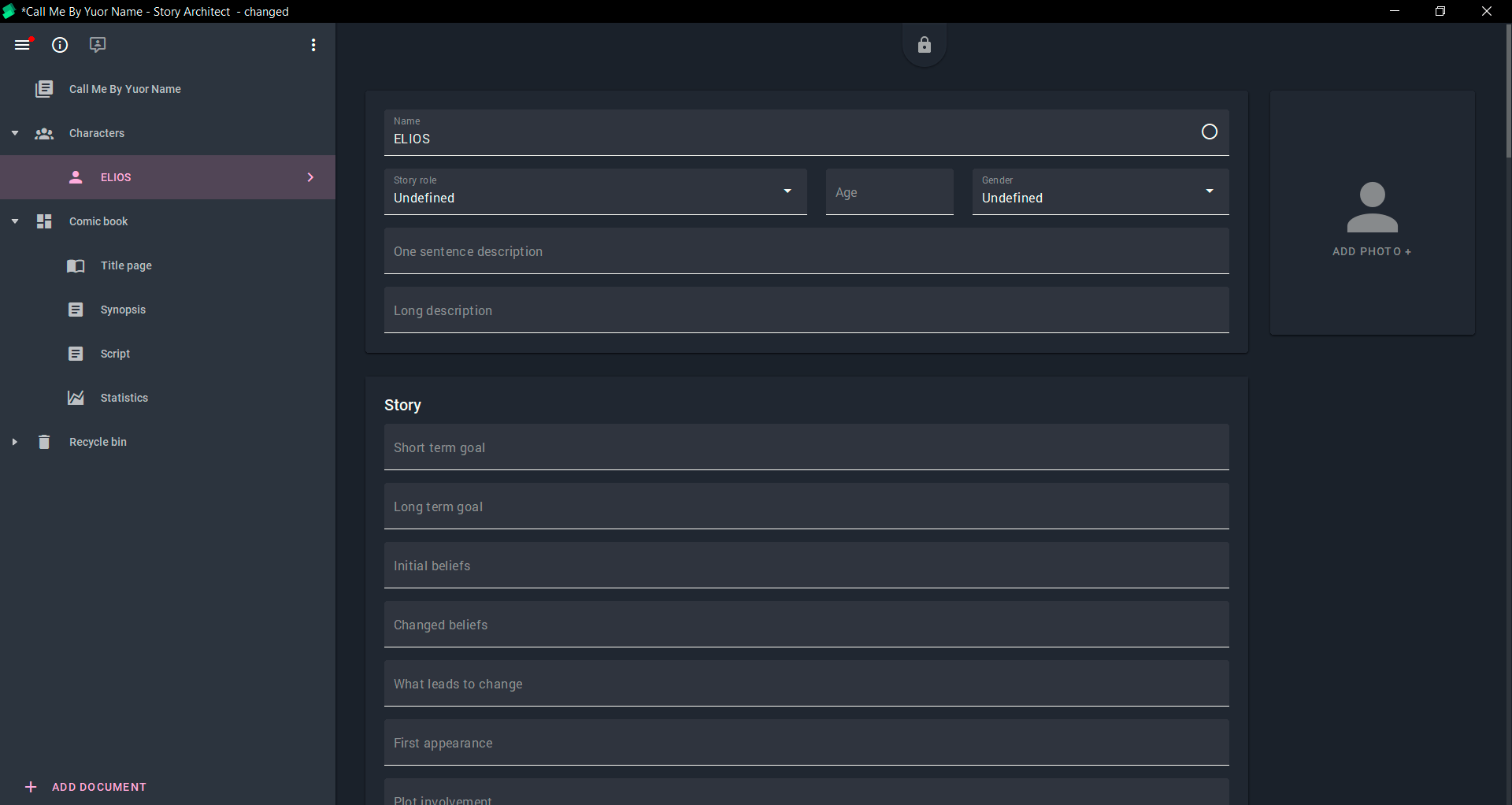
That's it! Story Architect's name generator will be able to call every character and even the extras in seconds. Click the dice and choose.
Join our community of authors
Download Story Architect and try all features for free. Give us your feedback — let's make the best software for writers together!