Hello, friends!
Here comes the pre–New Year update — Story Architect 0.8.0! It’s full of hard work, love, and gratitude to you, our wonderful authors.
Before I start describing what we’ve improved, I want to say a huge thank you for your support. Sometimes the project goes through difficult stages, and it means so much that you stay with us, care about the product, and help us move forward. You help us catch bugs, figure out how to reproduce them, and send detailed reports when we ask.
Thank you for your involvement.
It’s priceless, guys. Truly.
Module for working with series
So!
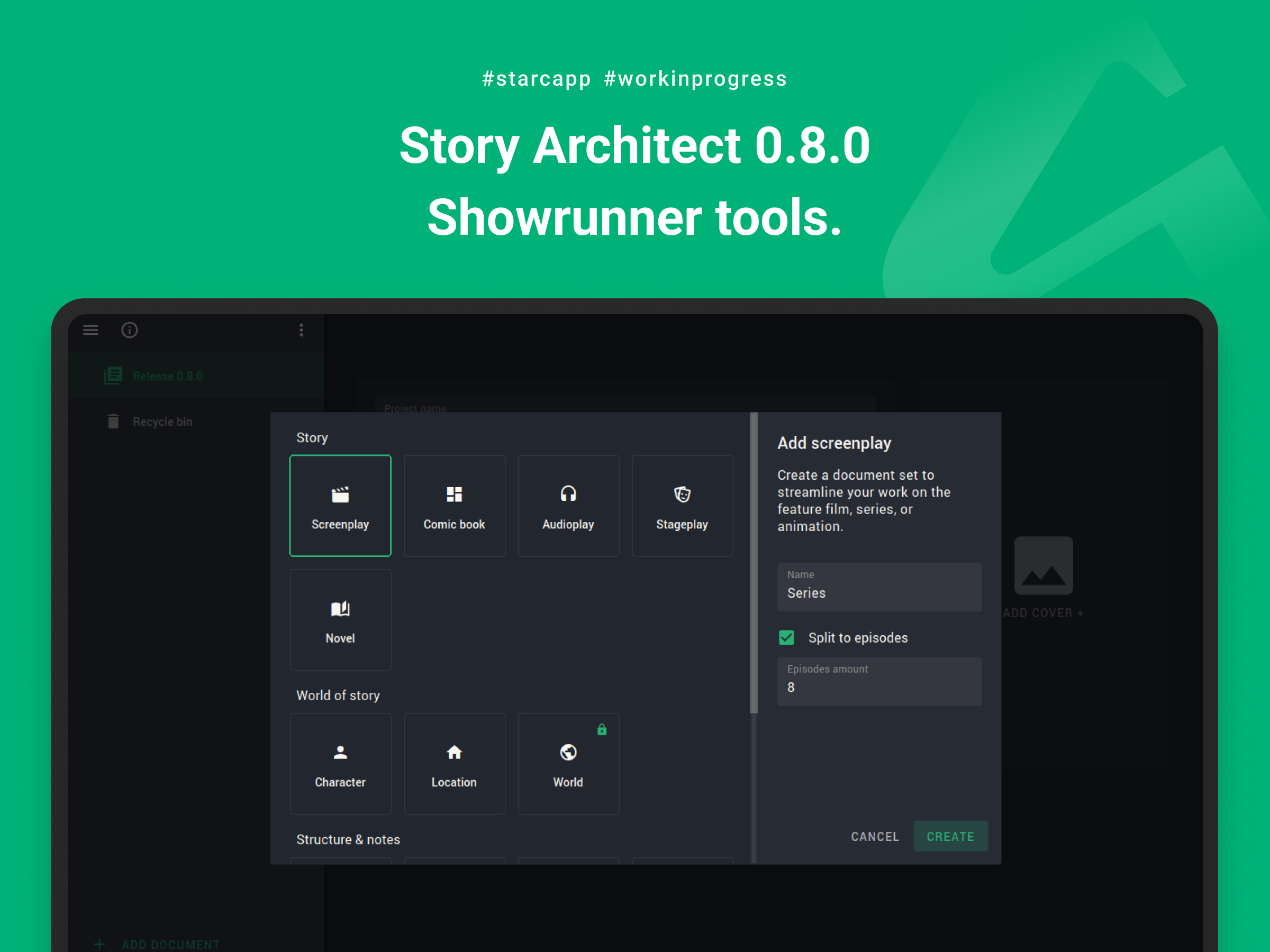
We can finally introduce the very first showrunner tools — the new module for working with multi-episode projects.
When creating a new script document, you can check the option to split it into episodes and specify the number of episodes. The program will then generate a set of documents for the multi-episode project. Inside, you can set basic parameters of the series and use the dedicated folder where all episodes are stored. If you already have written episodes, you can move them into the series folder for further work.
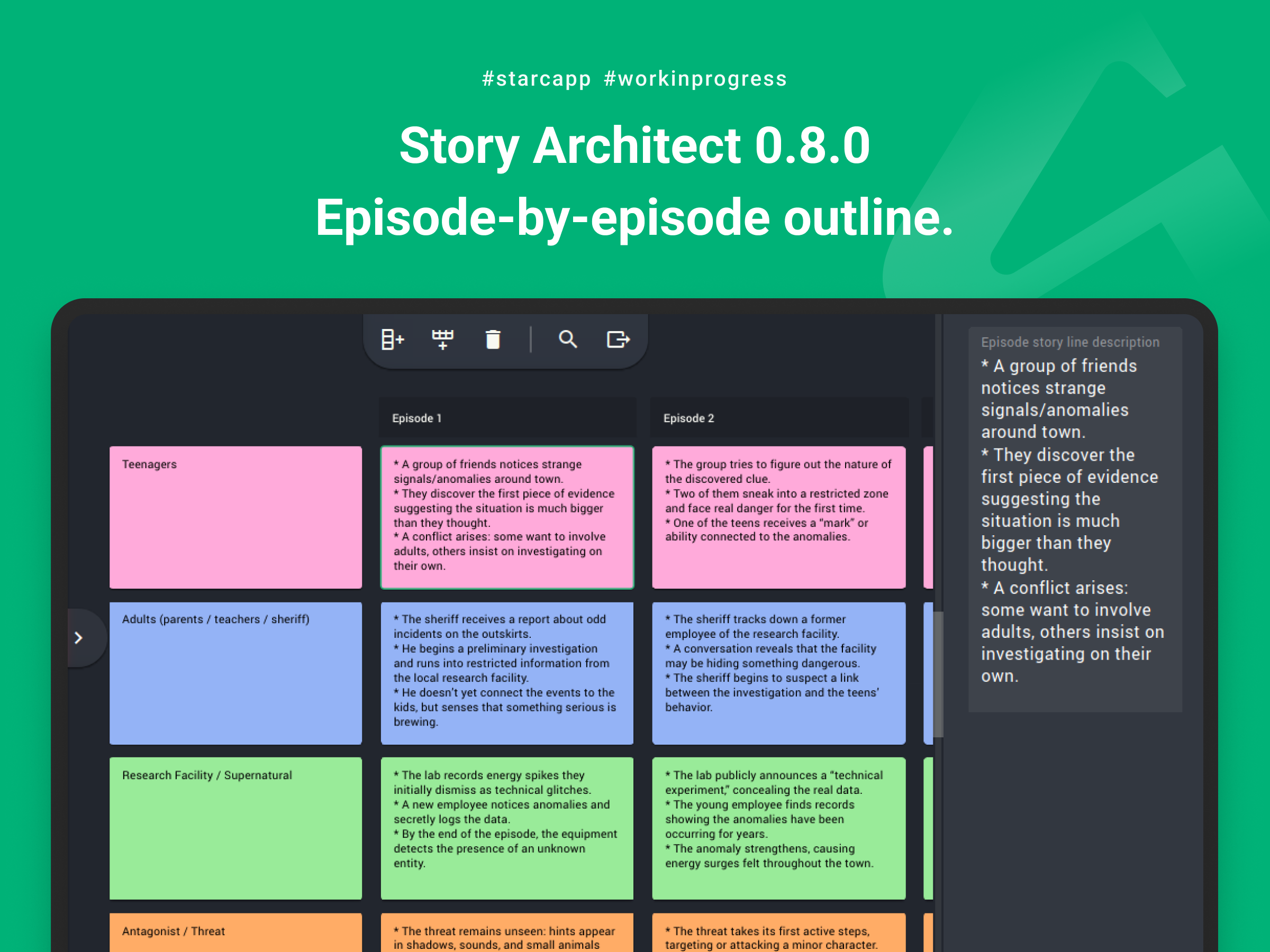
Episode-by-episode outline
The folder with episodes acts as your episode-by-episode outline, essentially a table where columns represent episodes and rows can represent storylines, character arcs, or any other information you want to include for each episode.
Statistics for the entire series
In addition to the episode outline, the new module lets you view aggregated statistics for all episodes within the series document.
The statistics work exactly like script statistics, except they show not only scene numbers but episode numbers as well.
Document comparison
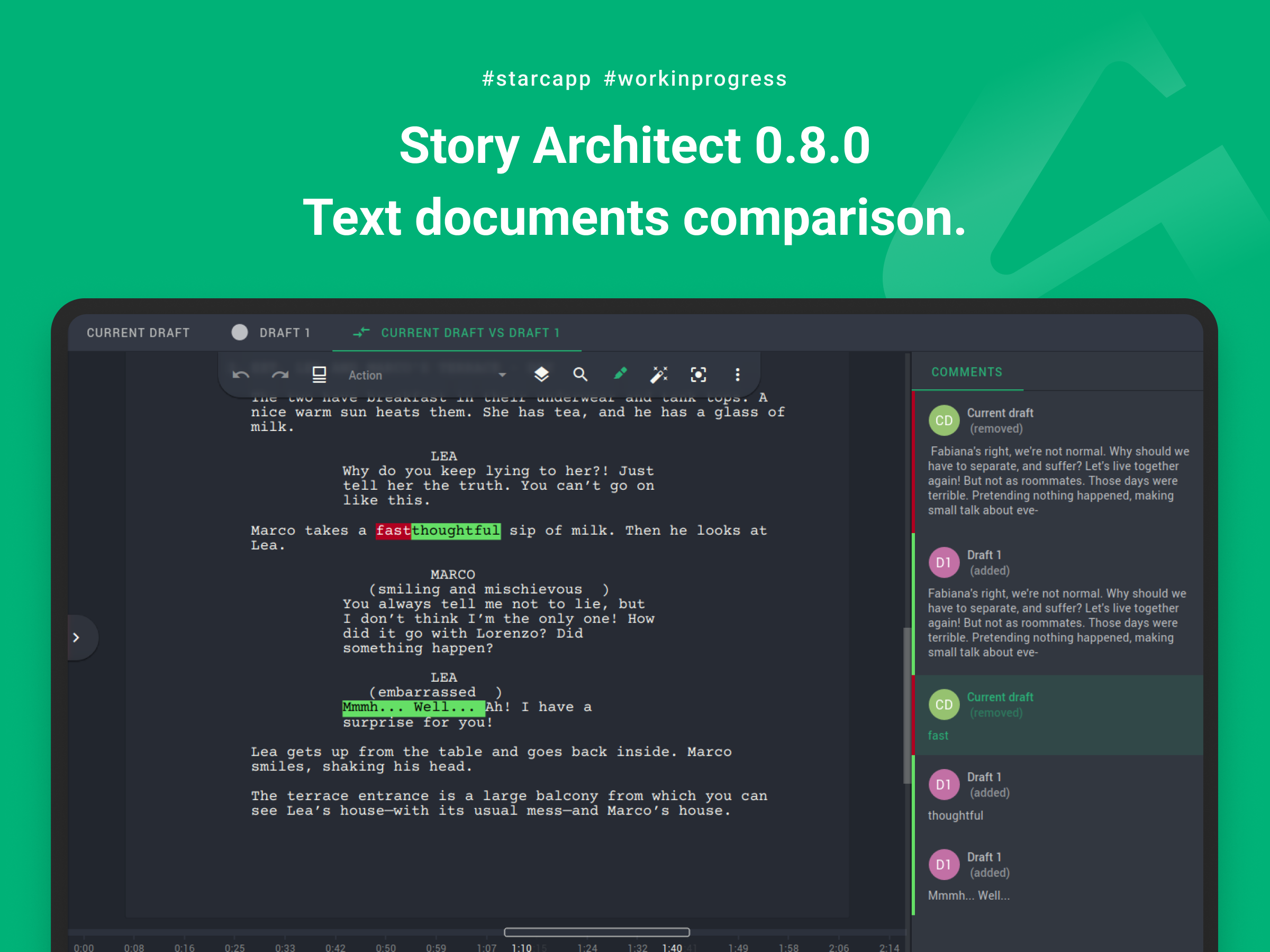
Another addition in version 0.8.0 is the ability to compare text documents. Comparison is available both between different documents (select two scripts or text documents and choose “Compare documents”) and between drafts within the same document (right-click the draft list panel and choose “Compare drafts”).
Cloud service stability improvements
In this update, we’ve taken cloud synchronization stability to a new level.
Firstly, we tracked down long-standing issues that were difficult to reproduce but affected users working in real time.
Secondly, we fixed a problem in the core change-merging mechanism and resolved reconnection issues after the computer was idle, sleeping, or hibernating.
Additionally, several important but less critical fixes were made:
- improved authorization logic when the user device limit is exceeded — now the oldest session closes automatically so you can log in from a new device;
- fixed spontaneous logouts from the personal account;
- improved cloud-service security in the authorization process;
- improved handling of deleted project documents;
- improved merging and uploading of offline-mode changes;
- refined co-author cursor display — they no longer overlap neighboring text;
- fixed missing verification-code field during login;
- fixed cursor jumps when a co-author edits a nearby paragraph.
AI assistant improvements
The main update to the AI assistant is the ability to disable it.
We love the AI assistant and treat it as a helpful tool, and we use AI ethically by sending only the data necessary for specific requests. But we understand your desire to turn it off.
Starting with Story Architect 0.8.0, the AI assistant can be disabled during the initial setup or in the application settings (App Settings → Application → AI Assistant → uncheck “Enable AI Assistant”).
For those who use AI in their workflow, we improved the text translation algorithm so that translations finish reliably and preserve formatting.
Appearance and usability improvements
We also worked on making the interface clearer and more convenient.
For example, many users asked for a simple way to hide the right panel using a quick button, just like the navigator panel. This has now been added.
We also made another iteration on improving the toolbar appearance, and it now remains fully visible without changing transparency.
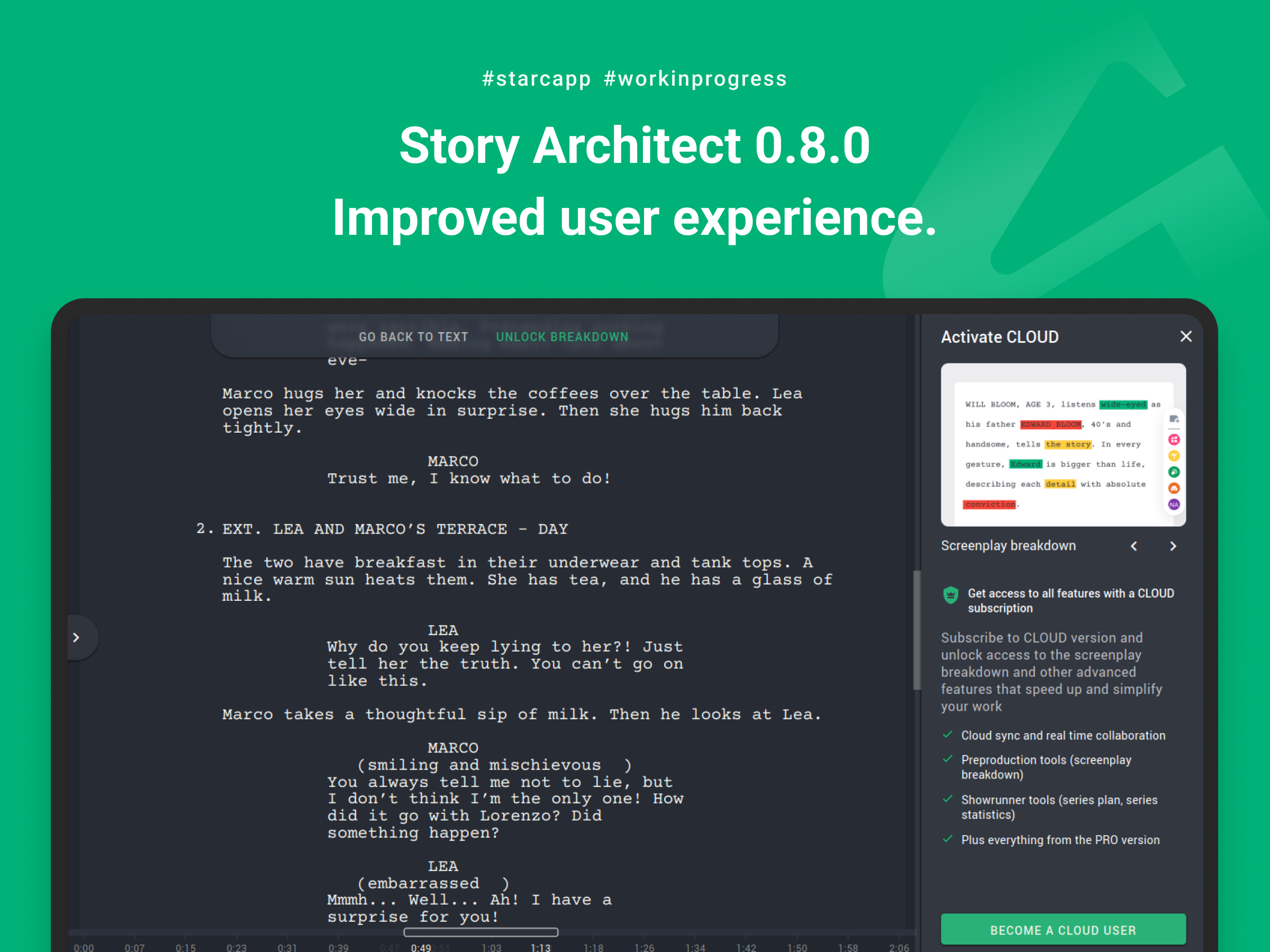
We improved interaction with paid modules as well. Previously, switching into the Breakdown module could confuse users, making them think access to the script was blocked and required payment because the modules looked similar. Now it is clear when you’ve switched into a paid module, and you can quickly return to the free one.
Additional UI polish:
- improved display of project cards on the start page and scene cards in scripts/novels;
- improved scrollbars — they no longer push nearby content aside;
- simplified text fields to reduce visual clutter (especially in character/location profiles);
- improved dialogs warning about project/document deletion;
- improved display of folder, act, chapter, and book endings;
- improved context menus for script and novel card modules.
Technology base update
Not sure if this will be exciting for you, but starting from version 0.8.0 we’ve migrated to a new version of the library that Story Architect is built on. This is one of the main reasons the release took as long as five months.
The new library version contains bug fixes from the developer community and ensures support for modern operating systems and technologies.
The downside is limited support for older OS versions, but throughout 2026 and possibly 2027 both versions will be supported.
Externally, this may not be very noticeable, but internally it will significantly improve product quality.
Other improvements
And, of course, we’ve done a massive amount of background work to increase stability and quality. Highlights include:
- added ability to create a draft by importing from an external file;
- improved handling of rare save-state issues that could cause data-writing errors;
- improved handling of text-field parameters (smart quotes and similar features);
- improved splitting of dialogue when pressing ENTER mid-line;
- fixed image-selection proportions for avatars, characters, locations, and worlds;
- fixed hangs when extremely long script paragraphs confused the autocorrect system;
- fixed updating of text document counters when switching documents;
- fixed scene-number updates when some scenes are locked;
- fixed insertion of service symbols from the clipboard;
- fixed crash when undoing the last action after working with multiple split paragraphs;
- fixed deletion issues in split paragraphs when pressing the Down key with partial selection;
- fixed markup artifacts remaining after cutting text from split paragraphs;
- fixed deletion of comic panels that contain only character lines;
- fixed loading of synopsis formatting templates from the main document template;
- fixed formation of the novel synopsis formatting template;
- fixed template sorting — they’re now alphabetized;
- improved detection of scene headings and dialogue during import from PDF and DOCX;
- fixed export of centered parenthetical remarks in custom play/screenplay templates;
- fixed export of stage directions to Fountain for plays;
- corrected numerous typos and improved texts for clarity;
- removed languages which translations are less than 20% complete.
Whew, this turned out huge!
Later this year, we plan to release a stabilization update for the mobile version, and in our pre-holiday letter we will share our further plans.
Happy writing, my dear friends, and see you soon!